 splitwow
Tile. Snap. Done.
splitwow arranges your windows into clean layouts — instantly. 20 layouts, one-tap snapping and saved scenes, right from your menu bar.
Everything you need to tame your windows
Built for macOS power users who live with a lot of windows.
20 layouts, grouped
Columns, rows, grids and master + stack — 20 presets, organized by type so you find the right one fast. Assign a window to each cell, pick the display, and Apply.
Snap the active window
Send the focused window to a half, a quarter or full screen on the monitor you choose — one tap, no dragging to screen edges.
Saved scenes
Capture a whole arrangement — monitor, layout and which app goes where — and rebuild it with one click. Ideal for recurring setups.
Multi-monitor
Target any connected display.
Native & fast
Pure SwiftUI. Instant, no bloat.
Lives in the menu bar
Always one click away — and it launches at login, so it’s ready the moment you are.
How it works
From scattered windows to a clean workspace — in seconds.
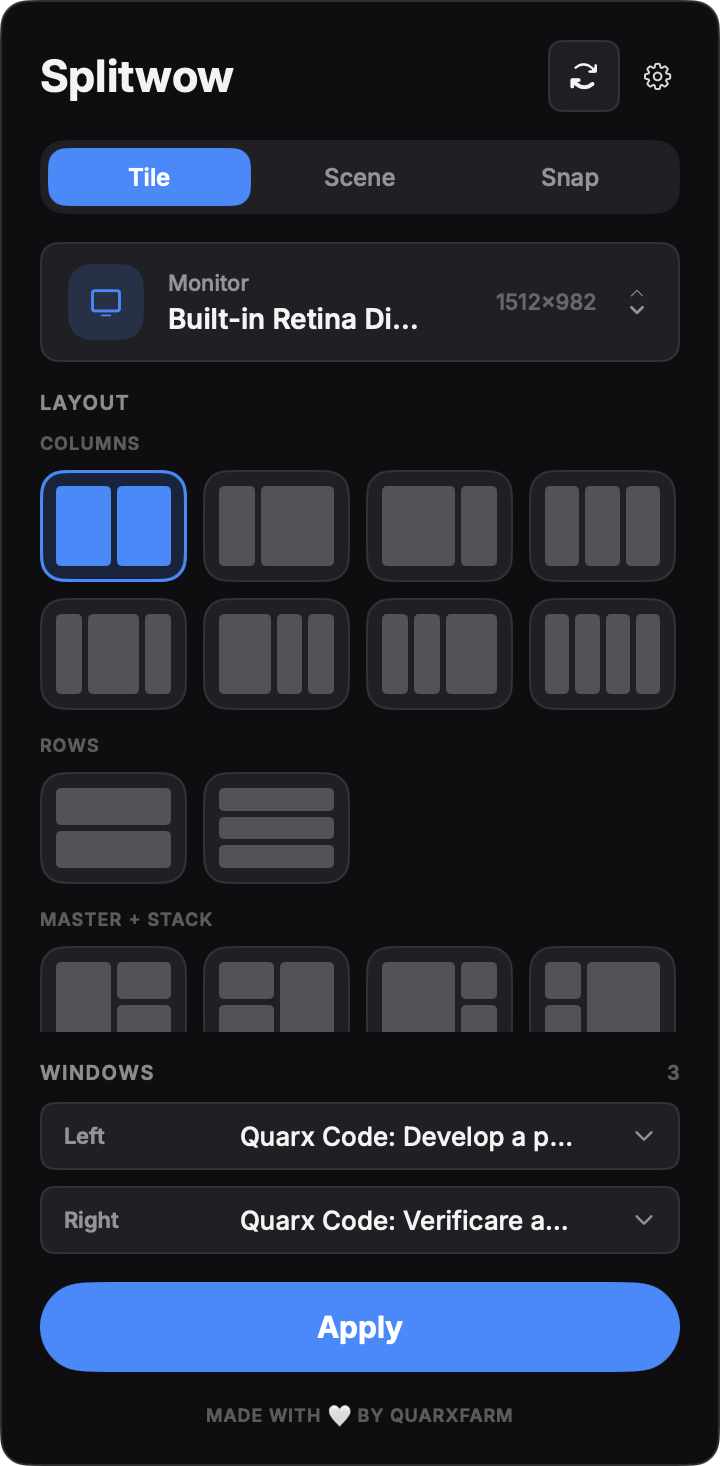
Pick a layout
Open splitwow from the menu bar, choose the display and pick one of 20 presets — columns, rows, grids or master + stack. Assign a window to each cell, then Apply.
- 20 presets, grouped by type
- One window per cell
- Works on any connected display
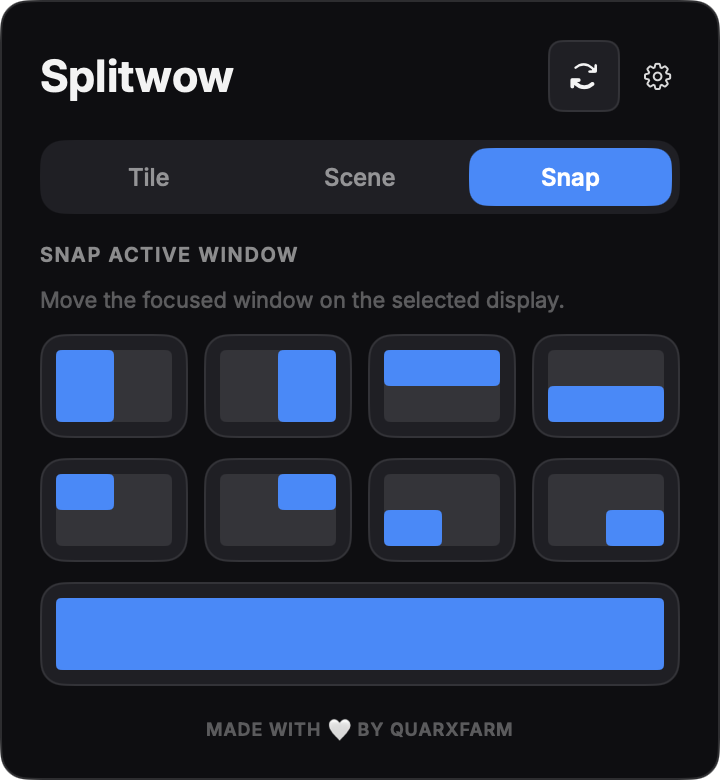
Snap the active window
Need just one window in place? Send the focused window to a half, a quarter or full screen on the monitor you choose — a single tap, no dragging to edges.
- Halves, quarters, maximize
- Acts on the focused window
- Targets the selected monitor
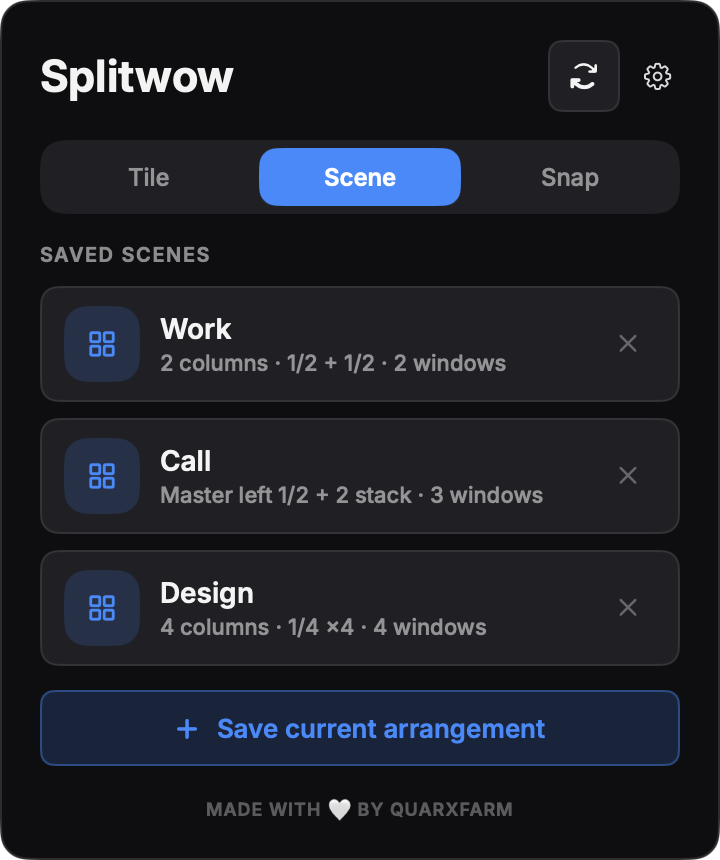
Save it as a scene
Found a setup you keep recreating? Save it as a scene — splitwow remembers the monitor, layout and which app goes where, and rebuilds it with one click.
- Saves monitor + layout + apps
- Restores by matching apps
- Persists across sessions
Take back your screen.
splitwow keeps every window in its place — native, fast, and out of your way.